Process in the cloud
Upload supported scan data for point cloud mapping, colourisation and GNSS registration. Cloud processing reduces reliance on a powerful local workstation.
FJD Trion Model Web
Process your data in the cloud. Explore it in your browser. Share the space with the people who need to see it.
From capture to conversation
Upload supported scan data for point cloud mapping, colourisation and GNSS registration. Cloud processing reduces reliance on a powerful local workstation.
View point clouds, meshes and 3D Gaussian Splatting models without installing the desktop processing application.
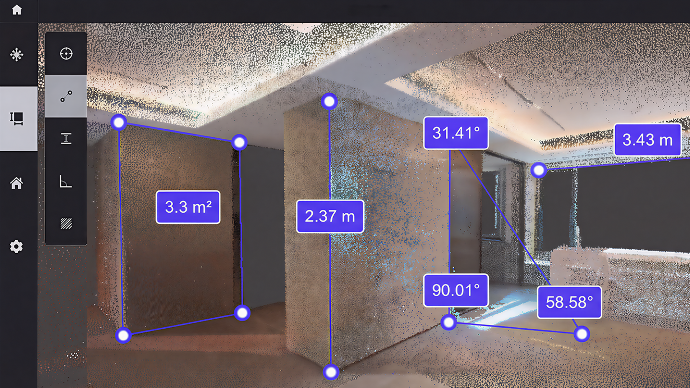
Check distances, heights, angles and areas within the point cloud. Measurements depend on scan quality and the project’s survey accuracy.
Give clients and colleagues a link to the project. They can explore the space themselves, making layouts and site discussions easier to follow.
Explore our work
Open one of our shared projects to explore the captured space in FJD’s interactive viewer.
Shared project / 01
Terrace project
Open 3D model Opens in FJD’s viewer in a new tabShared project / 02
Rugby club project
Open 3D model Opens in FJD’s viewer in a new tabAllow time for the model to load. The tools available in each example depend on its data and sharing settings.
A connected workflow
Scan the building or site with a compatible FJD device.
Upload supported data and choose the cloud processing tasks you need.
Explore the results and take measurements before sharing.
Send a project link so others can review the same space.
Available modules include 3D Gaussian Splatting for immersive views, automated floor-plan and 3D-model outputs, and AI interior visualisations.
Features depend on compatible data, the selected module and your account. Cloud tasks may use credits; storage charges may apply.
View FJD’s current features and plans ↗Let's talk
Talk to us about scanning, FJD equipment and a sharing workflow for your team.
sales@lidarsolutionsnw.co.uk07760 226262